
Direct answer
What to check
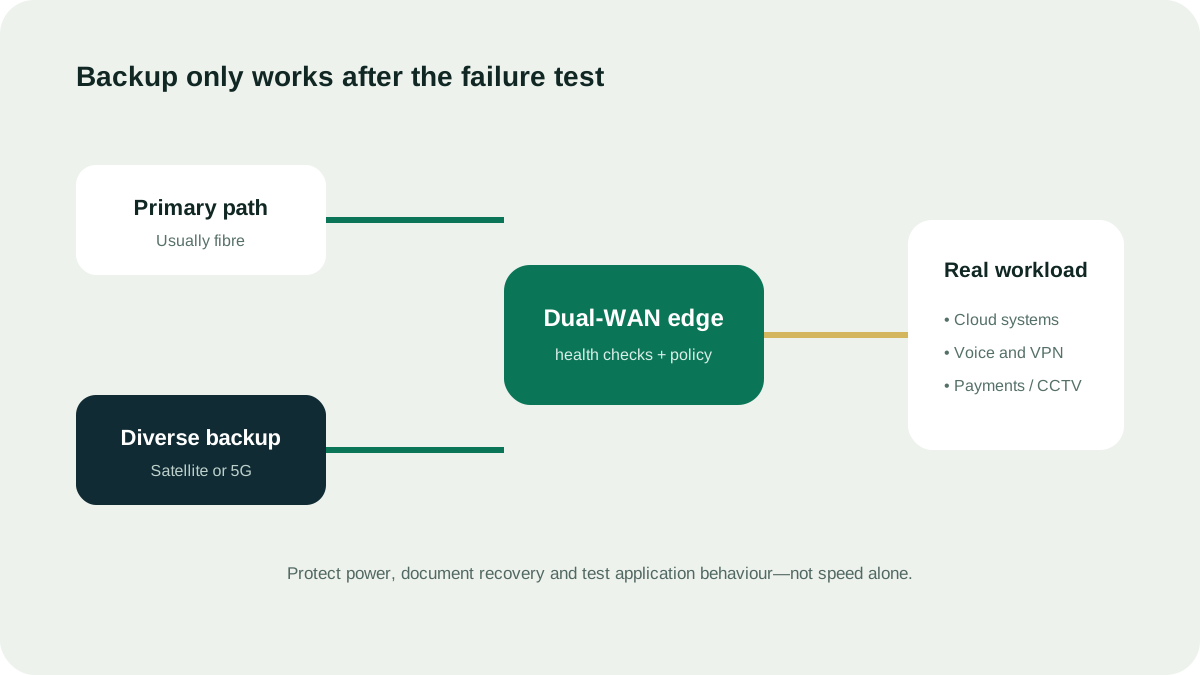
A failover test that proves something
Link status alone does not show whether users and applications recover.
| Test stage | Observe | Record |
|---|---|---|
| Primary failure | Detection and switch time | Trigger, health checks and alert time |
| Backup operation | VPN, voice, DNS, cloud and payment behaviour | Successful and failed workflows |
| Primary return | Stability and session impact | Return delay, flapping and user action |
Common failure modes
- Cable is up but internet is unreachable
- DNS fails while ping still works
- VPN blocks traffic from a new public IP
- Voice calls drop and do not re-register
- Backup is online but saturated by updates or CCTV
- Router reverts too early and flaps between paths
Operational runbook
Name the owner, monitoring channel, test frequency, escalation contacts, backup-data limits and the action if both paths fail. A tested manual fallback can be better than poorly understood automation.
Questions people ask
What is the difference between failover and load balancing?
Failover moves traffic after a health check declares a path unusable. Load balancing uses more than one path during normal operation. They create different session, cost and troubleshooting behaviour.
How often should failover be tested?
Use a schedule proportionate to the downtime risk and after material network changes. Record detection time, application recovery, alerts and the return to the primary path.
Can a UAE business use a residential Starlink plan?
Starlink’s published plan descriptions should be checked for the intended use. Do not select a household plan for business or enterprise work unless the current official terms explicitly permit it.
Source ledger
What this page’s facts rest on
UAE licence scope, date, sectors and complementary-network positioning
Managed business internet, redundancy and security positioning
Plan eligibility, business-use restrictions, congestion and non-guaranteed performance