
Direct answer
What to check
A practical home-internet shortlist
Use this as a first filter, then verify the exact address and property conditions.
| Situation | Start with | Check before deciding |
|---|---|---|
| Fibre already works well | Keep fibre; review indoor Wi-Fi | Dead zones, router position, access points |
| Fibre is delayed or unavailable | Test 5G and check satellite | Peak-hour signal, sky view, plan eligibility |
| Downtime affects work or security | Assess a second access path | Automatic failover, UPS, application recovery |
Start with the type of home
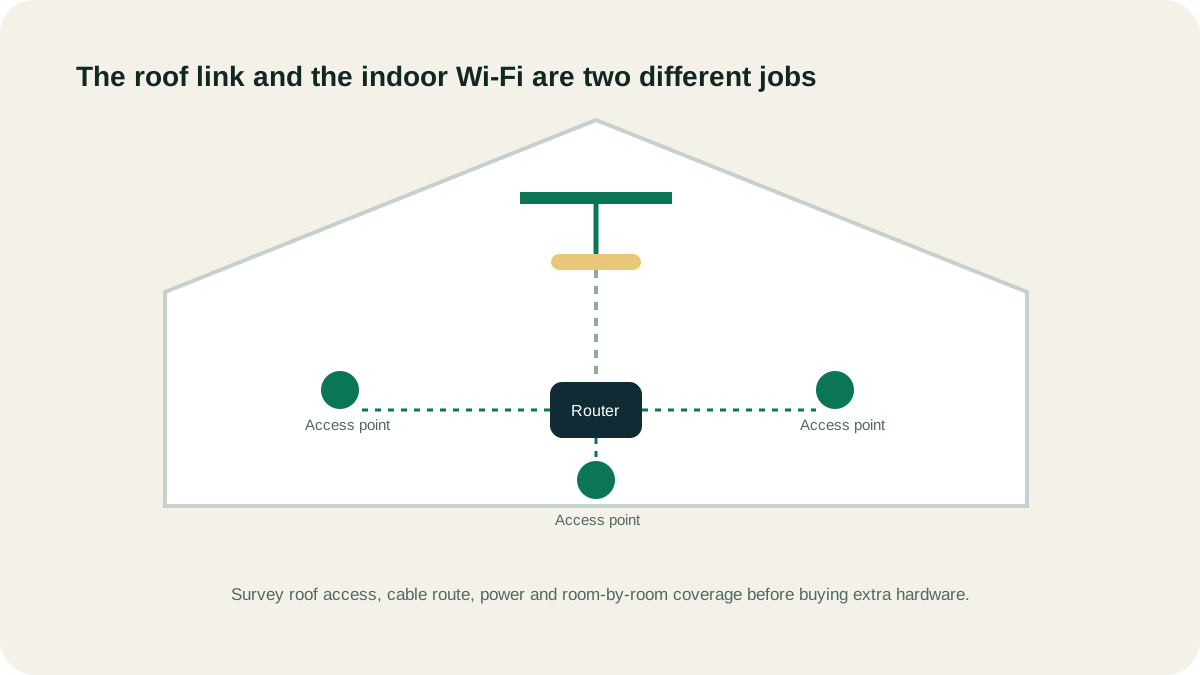
Apartment residents may have provider-ready building infrastructure but limited roof access. Villa owners may control more of the property yet still need community approval, a safe cable route and several Wi-Fi access points. Remote homes may need to compare terrestrial wireless and satellite from the start.
Match the connection to the problem
- Moving in before fibre is active: compare temporary 5G and eligible satellite service
- Existing fibre is reliable: improve Wi-Fi before replacing the internet line
- Work-from-home downtime matters: assess automatic failover and protected power
- Large villa has weak rooms: survey the internal network separately from the backhaul
What to record during a home check
- Emirate, community and property type
- Current provider and the exact problem
- Fibre installation status and 5G test position
- Roof, balcony or outdoor access
- Floors, walls and rooms needing reliable coverage
Questions people ask
What is the best home internet in the UAE?
There is no provider-wide answer for every address. Reliable installed fibre is usually the simplest primary connection. Compare 5G wireless and eligible satellite service where fibre is unavailable, delayed or where a different backup path has clear value.
Is wireless home internet the same as Wi-Fi?
No. Wireless home internet describes how the property reaches the provider, such as 5G or satellite. Wi-Fi is how devices connect inside the property. Either backhaul can still have poor indoor Wi-Fi.
What should a villa owner check first?
Confirm fibre and 5G options, then assess roof or outdoor access, permissions, cable routing, power and whole-villa Wi-Fi. Use the official provider flow for final serviceability.
Source ledger
What this page’s facts rest on
du fibre characteristics, stated business speeds and fibre/5G comparison
Current wireless business offer structure and mobile-network delivery
Address-level availability process and clear-sky setup requirement
Plan eligibility, business-use restrictions, congestion and non-guaranteed performance